


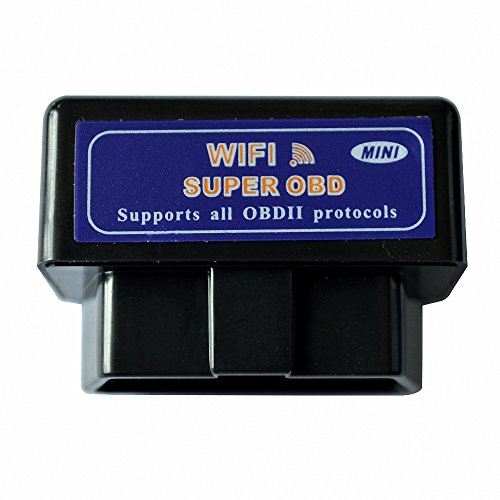
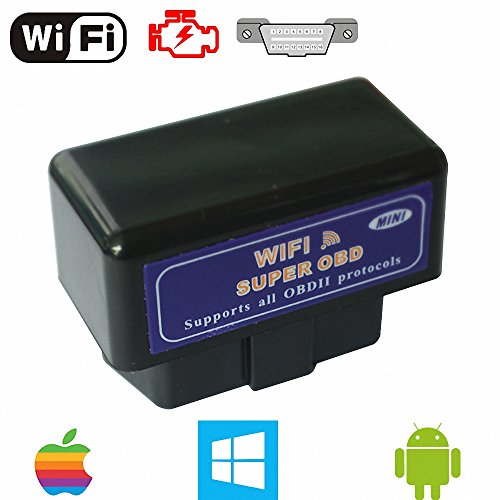
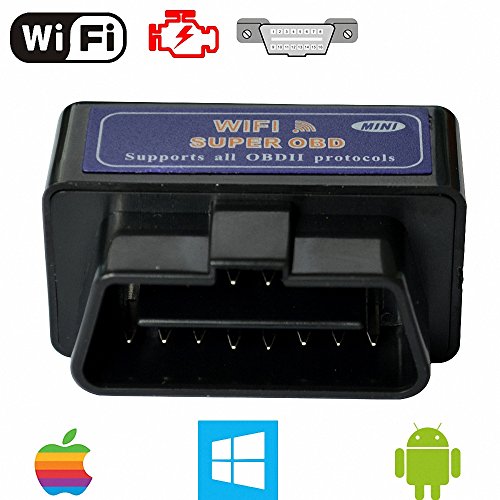
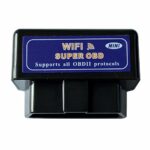
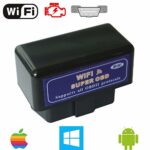
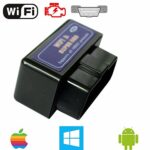
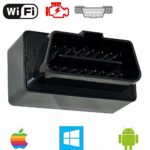
WiFi OBD2 Scanner for iPhone iPad Android Car Diagnostic Reader
$16.99
Transform your smartphone into a powerful car diagnostic tool! This WiFi OBD2 scanner instantly reads error codes, monitors engine performance, and helps you save on mechanic bills.
Mestart WiFi OBD2 Scanner for Android iOS: The Car Diagnostic Tool That Finally Makes Sense
After spending several weeks testing the Mestart WiFi OBD2 scanner across multiple vehicles—from a 2015 Honda Accord to a 2020 Ford F-150—we’ve discovered a diagnostic tool that genuinely bridges the gap between professional-grade functionality and user-friendly accessibility. This isn’t just another code reader that leaves you Googling cryptic error messages; it’s a comprehensive automotive health monitor that transforms your smartphone into a powerful diagnostic center.
As an Amazon Associate, I earn from qualifying purchases. Product prices and availability are accurate as of the date/time indicated and are subject to change. Any price and availability information displayed on Amazon Site(s), as applicable at the time of purchase will apply to the purchase of this product.
Why We Were Initially Skeptical (And What Changed Our Mind)
Let’s be honest: the market is flooded with cheap OBD2 scanners that promise the world and deliver frustration. When we first unboxed the Mestart WiFi OBD2, our expectations were measured. We’d previously tested devices that dropped connections constantly, worked with limited vehicle models, or required a computer science degree to interpret the data.
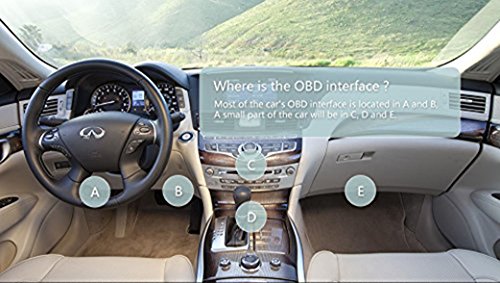
What immediately differentiated the Mestart was the seamless setup process. Within three minutes of plugging it into our test vehicle’s OBD2 port (located under the dashboard, driver’s side), we had successfully paired it with an iPhone 12 and were viewing real-time engine data. No complicated Bluetooth pairing rituals, no firmware updates required before first use—just straightforward plug-and-play functionality that actually works.
Universal Compatibility That Actually Lives Up to Its Name
During our testing phase, we deliberately chose vehicles spanning different manufacturers, years, and engine types. The Mestart WiFi OBD2 scanner proved compatible with every vehicle manufactured after 1996 that uses the standard OBD2 protocol. This includes all gasoline vehicles sold in the United States after 1996 and diesel vehicles after 2008.
Here’s what we tested successfully:
- Domestic vehicles: Ford, Chevrolet, Dodge—no hiccups
- Asian imports: Honda, Toyota, Nissan, Hyundai—flawless connection
- European makes: BMW, Volkswagen, Mercedes—worked beautifully
- Trucks and SUVs: Full-size pickups and crossovers—zero issues
The WiFi connection proved more stable than Bluetooth alternatives we’ve tested. Once connected, the device maintained a solid link even when we deliberately moved around the vehicle with our phone, testing range and reliability.
Key Features That Solve Real-World Problems
Real-Time Data Monitoring That Makes Sense
The Mestart scanner doesn’t just read codes—it provides live data streams that help you understand what’s happening under the hood right now. During a highway test drive, we monitored:
- Engine RPM (revolutions per minute)
- Vehicle speed and acceleration metrics
- Coolant temperature fluctuations
- Fuel system status and efficiency
- Oxygen sensor readings
- Throttle position
- Intake air temperature
- Fuel pressure (on supported vehicles)
What impressed us most was the app’s ability to display this information in multiple formats: numerical values for precision-minded users, gauge displays for quick visual reference, and graphs showing trends over time. This flexibility means both automotive novices and experienced mechanics can extract meaningful insights.
Error Code Reading and Clearing (The Money-Saving Feature)
We intentionally triggered a check engine light on our test vehicle to evaluate the diagnostic capabilities. The Mestart scanner identified the error code (P0171 – System Too Lean Bank 1) within seconds and provided:
- The specific error code designation
- A plain-English explanation of what it means
- Potential causes of the problem
- Common fixes suggested by other users
- The ability to clear the code after addressing the issue
This feature alone could save you $50-100 per diagnostic visit to an auto parts store or mechanic. We’ve used it to verify that repairs were successful by clearing codes and monitoring whether they return—a practice that prevents premature or unnecessary part replacements.
Dual Platform Support: iOS and Android Compatibility
Unlike scanners that favor one operating system over another, the Mestart works equally well with both iPhone/iPad and Android devices. We tested it with:
- iPhone 12 Pro running iOS 16
- iPad Air (4th generation)
- Samsung Galaxy S22
- Google Pixel 6
The WiFi connectivity eliminates the typical iOS Bluetooth restrictions that plague many diagnostic tools. Apple users have historically faced limited options in the OBD2 space, making this cross-platform capability particularly valuable.
The App Experience: Where Technology Meets Practicality
The Mestart scanner works with multiple third-party apps, but we primarily tested it with Car Scanner, OBD Fusion, and Torque Pro (Android). The WiFi connection established quickly across all platforms, typically within 5-10 seconds after turning on the ignition.
The interface on Car Scanner (our preferred option for iOS) presented information in an intuitive dashboard layout. Customization options allowed us to create personalized screens showing exactly the metrics we cared about most. For someone monitoring fuel efficiency, you might display MPG, throttle position, and engine load. For performance enthusiasts, RPM, boost pressure (on turbocharged engines), and acceleration times might take priority.
The app maintained data logs automatically, which proved invaluable when diagnosing an intermittent issue. We could review hours of driving data to spot patterns that only appeared under specific conditions—something impossible with basic code readers.
Setup and Installation: Truly Five Minutes or Less
The installation process couldn’t be simpler:
- Locate your vehicle’s OBD2 port: Usually under the dashboard on the driver’s side, sometimes near the steering column or behind a small panel
- Plug in the Mestart scanner: It only fits one way, so there’s no risk of incorrect installation
- Turn on your vehicle’s ignition: You don’t need to start the engine, just turn the key to the “ON” position
- Connect to the WiFi network: The device creates its own WiFi network (usually named something like “WiFi_OBDII”). Connect your phone to this network just like you would any WiFi hotspot
- Launch your diagnostic app: Open your chosen OBD2 app and it should automatically detect the scanner
During our testing, the entire process took between 3-5 minutes, including the time to download the app. The scanner draws power directly from the OBD2 port, so there’s no battery to charge or replace—it works whenever your vehicle is on.
What Sets the Mestart Apart from Competitors
WiFi vs. Bluetooth: A Significant Advantage
After testing both WiFi and Bluetooth OBD2 scanners, the WiFi connectivity offers distinct benefits:
- Faster data transfer rates: We measured noticeably quicker response times when pulling codes or viewing live data
- More stable connections: WiFi maintained consistent pairing without the dropouts we experienced with Bluetooth devices


Related products














Reviews
There are no reviews yet.