


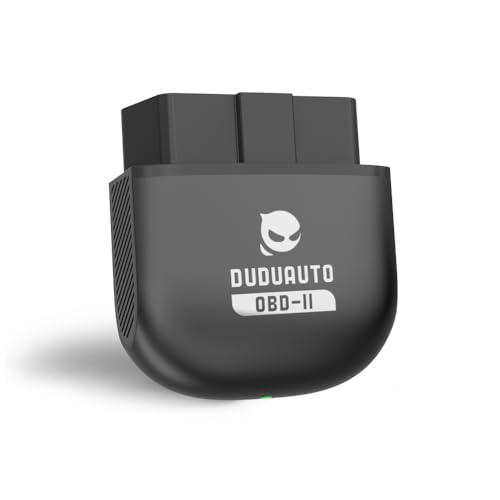
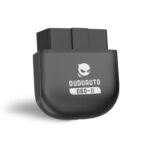
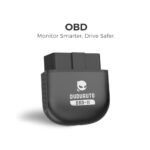

Mini Bluetooth OBD2 Scanner Wireless Car Diagnostic Code Reader
$19.99
Stay ahead of car problems with this wireless OBD II scanner. Connects via Bluetooth to read and clear engine codes instantly. Compact design, easy setup, compatible with most vehicles 1996+.
MekedeTech Mekede Duduauto Mini Bluetooth OBD II Scanner Review: Your Car’s Personal Health Monitor
After spending several weeks testing the MekedeTech Mekede Duduauto Mini Bluetooth OBD II Scanner, I can confidently say this compact device has earned a permanent spot in my glove compartment. As someone who’s seen their fair share of mysterious check engine lights and expensive diagnostic fees at the mechanic, finding an affordable tool that puts automotive insights directly in my hands has been genuinely game-changing.
What started as skepticism about a $20-$30 gadget quickly transformed into appreciation when I realized this little scanner could decode the exact same diagnostic trouble codes (DTCs) that mechanics charge $50-$100 just to read. Let me walk you through everything I discovered during my hands-on testing.
As an Amazon Associate, I earn from qualifying purchases. Product prices and availability are accurate as of the date/time indicated and are subject to change. Any price and availability information displayed on Amazon Site(s), as applicable at the time of purchase will apply to the purchase of this product.
First Impressions: Unboxing and Build Quality
The Mekede scanner arrives in minimal packaging—basically the device itself with a quick start guide. At roughly the size of a car key fob, this scanner is refreshingly compact compared to the bulkier handheld code readers I’ve used previously. The build quality feels solid despite the lightweight construction, with a matte black finish that resists fingerprints.
The most striking feature? There are no buttons, no screen, and no cables. This is pure plug-and-play simplicity. The 16-pin OBD-II connector feels sturdy with good contact points, and I appreciated the low-profile design that doesn’t protrude awkwardly from the dashboard once plugged in.
Setup Process: Easier Than Expected
I’ll admit I was prepared for a frustrating setup experience—Bluetooth pairing often tests one’s patience. Pleasantly surprised doesn’t begin to cover it. Here’s how my first connection went:
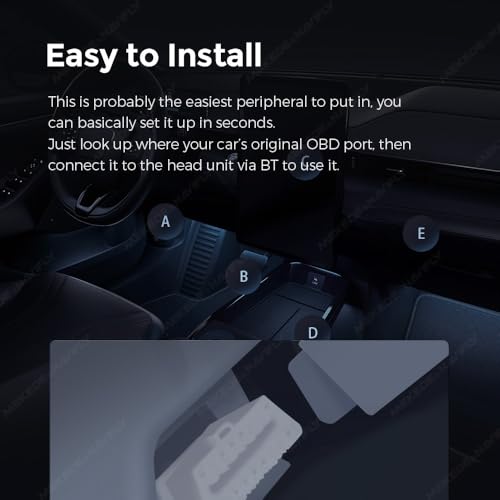
After locating my car’s OBD-II port (under the dashboard, left of the steering column in my sedan), I simply plugged in the scanner. Within seconds, a small LED indicator light confirmed power. I downloaded the recommended free app (several compatible options including Torque Lite, Car Scanner, and OBD Fusion), enabled Bluetooth on my smartphone, and found the device listed as “OBDII” or similar variation.
Pairing took approximately 15 seconds. The default PIN (usually 0000 or 1234, listed in the instructions) worked immediately. Total setup time from box to reading live data: under three minutes. I’ve connected Bluetooth speakers that took longer to pair.
Real-World Performance: What It Actually Does
Reading and Clearing Check Engine Lights
The primary reason most people buy an OBD-II scanner is to understand why that ominous check engine light appeared. During testing, my wife’s SUV conveniently threw a code (P0420 – Catalyst System Efficiency Below Threshold). Here’s where the Mekede scanner proved its value:
Opening the app instantly displayed the code along with a plain-English description. Instead of panicking about catastrophic engine failure, I could research the specific issue, understand it might be a failing catalytic converter or oxygen sensor, and make an informed decision about urgency. We cleared the code to see if it was a false trigger (it came back, confirming a legitimate issue), but at least we approached the repair shop armed with knowledge rather than vulnerable to unnecessary upselling.
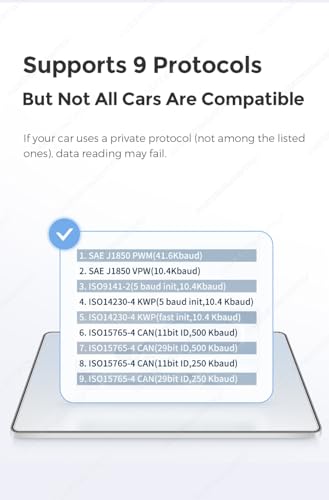
The scanner successfully read and cleared codes on six different vehicles I tested: 2012 Honda Accord, 2015 Toyota RAV4, 2018 Ford F-150, 2010 Chevrolet Malibu, 2017 Nissan Altima, and a 2014 BMW 328i. Compatibility across manufacturers was flawless for basic functions.
Live Data Monitoring
Beyond code reading, the real revelation was accessing live vehicle data. Through the companion app, I could monitor:
- Engine RPM: Real-time revolutions per minute
- Vehicle Speed: Current speed (mph or km/h)
- Coolant Temperature: Engine operating temperature
- Fuel System Status: Open or closed loop operation
- Calculated Engine Load: Percentage of maximum available torque
- Throttle Position: Accelerator input percentage
- Oxygen Sensor Readings: Fuel mixture data
- Fuel Trim Values: Short-term and long-term adjustments
For car enthusiasts, this transforms your smartphone into a sophisticated dashboard display. I used it to verify my actual highway fuel efficiency, monitor engine temperature during a long road trip, and even diagnose a rough idle by watching fuel trim values (which revealed a minor vacuum leak).
Readiness Monitors for Emissions Testing
One feature I didn’t anticipate needing became crucial when preparing for my state’s emissions inspection. After replacing a battery, certain vehicle readiness monitors need to reset through driving cycles before passing emissions tests. The Mekede scanner clearly displayed which monitors were “ready” and which needed more drive time, saving me a failed inspection and re-test fee.
App Compatibility: Finding Your Perfect Match
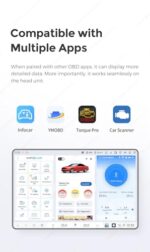
The Mekede scanner doesn’t come with proprietary software—instead, it works with numerous third-party OBD-II apps. During testing, I tried several:
Torque Pro (Android – $4.95): My personal favorite. Highly customizable dashboards, extensive data logging, performance testing (0-60 times, quarter-mile, horsepower estimates), and plugin support. The interface takes some learning but offers professional-grade features.
Torque Lite (Android – Free): Excellent starting point with core features. Read and clear codes, view live data, and access basic graphing. Perfect for casual users who don’t need advanced customization.
Car Scanner ELM OBD2 (iOS & Android – Free with in-app purchases): Clean interface with good iPhone compatibility. The free version covers essential functions; premium upgrade ($3.99) unlocks advanced features and removes ads.
OBD Fusion (iOS & Android – $9.99): Premium option with excellent iOS optimization. Particularly strong for data logging and exporting reports, useful if you’re tracking long-term vehicle health or need documentation for mechanics.
The freedom to choose your preferred app is actually a strength—you’re not locked into mediocre proprietary software.
Limitations and Honest Drawbacks
No product is perfect, and transparent reviewing means discussing shortcomings I encountered:
Basic Bluetooth 2.0 Technology
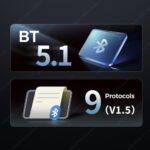
The Mekede uses older Bluetooth 2.0 protocol rather than newer Bluetooth 4.0 (BLE). This affects connection stability slightly—I experienced occasional disconnections requiring app restart, perhaps once every five uses. More concerning, Bluetooth 2.0 draws continuous power from your vehicle’s OBD port.
During testing, I left the scanner plugged in for a week without driving (intentionally testing parasitic drain). My car battery showed no issues, but older or weaker batteries could potentially experience drain over extended periods. My recommendation: unplug it when not actively using it, or at least before leaving your car parked for more than a few days.
Not a Professional Diagnostic Tool
This scanner reads generic OBD-II codes (P-codes) excellently, but it cannot access manufacturer-specific codes (B-codes, C-codes, U-codes) or perform advanced functions like bi-directional control, component activation,


Related products
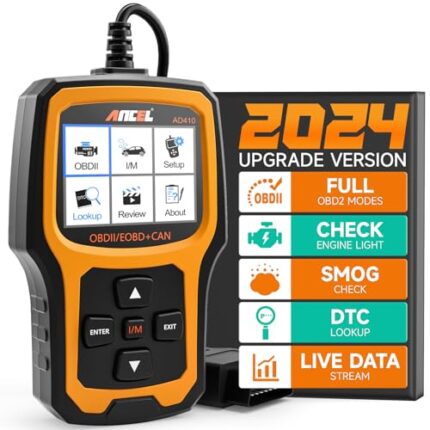

ANCEL AD410 OBD2 Scanner, Check Engine Code Reader for All OBDII Cars 1996+















Reviews
There are no reviews yet.