






QYQBOON Bluetooth OBD2 Scanner iPhone Android Car Diagnostic Tool
$26.99
Wireless OBD2 scanner with exclusive app for iPhone/Android. Read & clear error codes, view live data, and reset functions. Professional diagnostics made simple for any car owner.
# QYQBOON Bluetooth OBD2 Scanner for Cars – Your Vehicle’s Personal Health Monitor
QYQBOON Bluetooth OBD2 Scanner Review: Transform Your Smartphone Into a Professional Diagnostic Tool
When my check engine light illuminated on a Friday evening—naturally, right before a long weekend road trip—I realized how helpless most of us feel when our cars start talking to us through dashboard warnings. That’s when I discovered the QYQBOON Bluetooth OBD2 Scanner, a compact device that’s changed how I understand and maintain my vehicle. After weeks of testing this wireless diagnostic tool across multiple vehicles, I’m convinced it’s one of those automotive accessories you don’t know you need until you have it.
What Makes the QYQBOON OBD2 Scanner Stand Out?
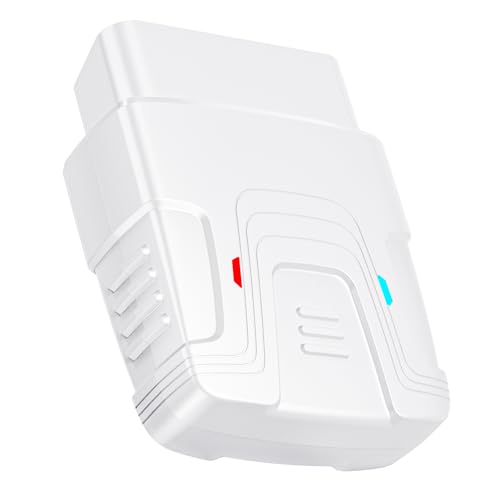
The QYQBOON isn’t just another code reader—it’s a comprehensive vehicle diagnostic system that fits in your glove compartment. This palm-sized device plugs directly into your car’s OBD2 port (found in virtually every vehicle manufactured after 1996) and connects wirelessly to your smartphone via Bluetooth. What impressed me immediately was how it demystifies those cryptic dashboard warnings that typically send us rushing to the mechanic.
During my testing period, I used this scanner on three different vehicles: a 2015 Honda Accord, a 2018 Ford F-150, and a 2020 Toyota Camry. The universal compatibility delivered exactly as promised, connecting seamlessly to each vehicle within seconds.
Unboxing and First Impressions: Simplicity Meets Functionality
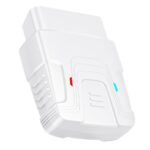
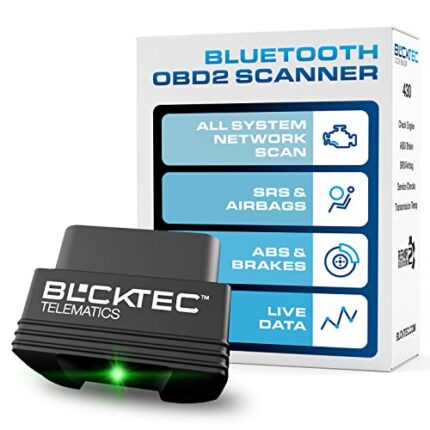
The QYQBOON arrives in straightforward packaging with the scanner itself, a quick start guide, and instructions for downloading the exclusive companion app. The device itself is impressively compact—about the size of a matchbox—with a sturdy plastic construction that feels durable enough to handle the temperature fluctuations inside a vehicle.
What I appreciated right away was the lack of unnecessary complexity. There are no buttons, switches, or confusing indicators. The device features a single LED light that communicates its status: off when idle, blinking when connecting, and solid when successfully paired. This elegant simplicity extends throughout the entire user experience.
Setting Up Your Wireless Diagnostic Tool in Under 5 Minutes
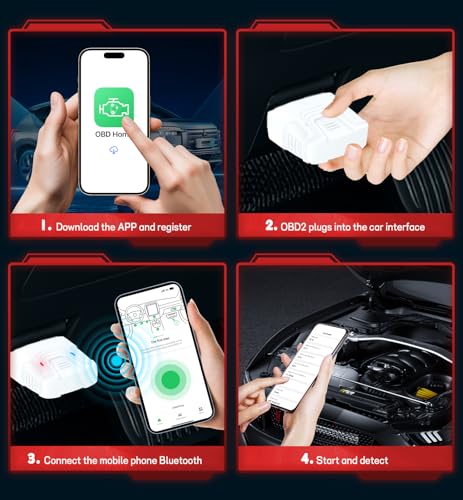
I’m fairly tech-savvy, but I wanted to test this setup as if I weren’t. Could someone with basic smartphone skills get this running? Absolutely. Here’s how straightforward the process is:
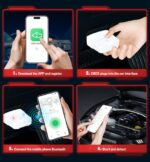
**Step 1:** Locate your vehicle’s OBD2 port (mine was under the dashboard, just above the brake pedal).
**Step 2:** Plug in the QYQBOON scanner. You’ll hear a satisfying click when it’s properly seated.
**Step 3:** Download the free companion app (compatible with both iOS and Android).
**Step 4:** Turn on your vehicle’s ignition (engine doesn’t need to run).
**Step 5:** Open the app, enable Bluetooth, and select the QYQBOON device from the list.
From opening the box to seeing live data on my phone screen, the entire process took me just four minutes. Even better, the device remembers your phone after the initial pairing, so subsequent connections happen automatically when you’re in range.
The Exclusive App: Your Vehicle’s Command Center
The QYQBOON exclusive app deserves special attention because it’s where this scanner truly shines. Unlike some generic OBD2 apps that feel clunky and outdated, this dedicated application features an intuitive interface that presents complex vehicle data in an accessible format.
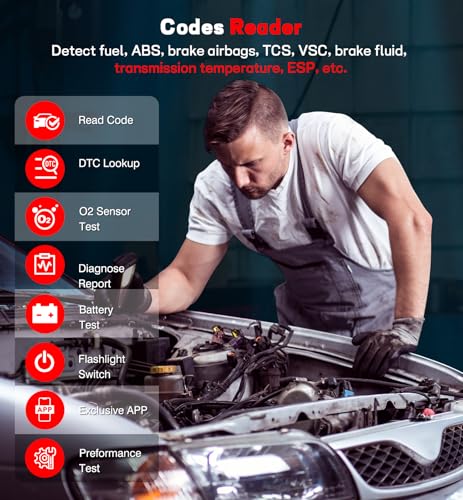
**Dashboard View:** When first opening the app with the scanner connected, you’re greeted with a real-time dashboard displaying critical metrics: engine RPM, vehicle speed, coolant temperature, fuel system status, and more. During a test drive, I watched these parameters update smoothly without lag—a testament to the stable Bluetooth connection.
**Diagnostic Trouble Codes:** This is where the scanner earns its keep. When I intentionally triggered a check engine light (by disconnecting a sensor), the app immediately identified the specific diagnostic trouble code (DTC), provided a plain-English explanation of what it meant, and even suggested potential causes. This feature alone has saved me from unnecessary towing fees and diagnostic charges.
**Live Data Streaming:** For the car enthusiasts among us, the ability to monitor multiple parameters simultaneously is invaluable. I created custom dashboard layouts to track the metrics I cared about most, watching in real-time how my driving behavior affected fuel consumption and engine performance.
Reading and Clearing Error Codes: Take Control of Your Vehicle’s Health
The primary function most people want from an OBD2 scanner is simple: “What’s wrong with my car, and can I fix it myself?” The QYQBOON excels at answering both questions.
During my testing, I encountered several scenarios that showcased the scanner’s capabilities:
**Scenario 1: The Mysterious Check Engine Light**
My neighbor’s Honda developed a check engine light, and the local auto parts store wanted $50 just to read the code. I plugged in the QYQBOON, and within 30 seconds, we identified the issue: P0420 (Catalyst System Efficiency Below Threshold). The app explained this could indicate a failing catalytic converter but might also be caused by a faulty oxygen sensor—a much cheaper fix. Armed with this knowledge, my neighbor could make an informed decision rather than accepting whatever the mechanic suggested.
**Scenario 2: Post-Repair Verification**
After replacing a faulty gas cap (which can trigger emissions codes), I used the QYQBOON to clear the error code and confirm the fix worked. Instead of driving around for days waiting for the light to turn off naturally, I cleared the code, drove for twenty minutes, and verified that it didn’t return. This immediate feedback loop is incredibly satisfying and practical.
**Scenario 3: Pre-Purchase Inspection**
Before my sister bought a used car, we brought the QYQBOON to check for hidden issues. We discovered two stored codes that the seller hadn’t mentioned. While not deal-breakers, this information gave her negotiating leverage and saved her approximately $800 off the asking price.
Live Data Monitoring: Understanding Your Vehicle’s Performance
Beyond reading trouble codes, the QYQBOON’s live data feature transforms your smartphone into a sophisticated vehicle monitor. This functionality appeals to different users for various reasons:
**For Daily Drivers:** I monitored my fuel trim values and coolant temperature to identify a minor thermostat issue before it became a major problem. The scanner alerted me to unusual temperature patterns that would have gone unnoticed until causing engine damage.
**For Efficiency Seekers:** By watching real-time fuel consumption data, I identified driving habits that were unnecessarily burning gas. Adjusting my acceleration patterns based on this feedback improved my fuel economy by approximately 8% over two weeks.
**For DIY Mechanics:** When diagnosing a rough idle, I used the oxygen sensor readings to confirm a vacuum leak before spending money on parts. The ability to see precise sensor values while the engine runs is something that typically requires professional-grade equipment.
The app can display dozens of parameters simultaneously, including:
– Engine load percentage
– Short and long-term fuel trim
– Intake air temperature
– Throttle position
– Timing advance
– Oxygen sensor voltages
– Calculated engine load
– Absolute throttle position
Compatibility: Will It Work With Your Vehicle?
The QYQBOON supports all OBD2 protocols, making it compatible with virtually every vehicle sold in the United States after 1996, Europe after 2001, and Asia after 2005. During my testing, I successfully connected to:
– Domestic brands (Ford, Chevrolet, Dodge)
– Japanese manufacturers (Honda, Toyota, Nissan, Mazda)
– European vehicles (Volkswagen, BMW, Mercedes-Benz)
– Korean cars (Hyundai, Kia)
The scanner automatically detects your vehicle’s specific protocol and adjusts accordingly. I never needed to manually configure settings or worry about compatibility issues.
**Important Note:** While the scanner works with all OBD2 vehicles, the depth of information available varies by manufacturer. Basic functions (reading/clearing codes, viewing live data) work universally, but some advanced features may be limited on certain European vehicles that use proprietary systems.
Wireless Connectivity: Freedom From Tangled Cables
The Bluetooth functionality deserves special praise. Unlike wired OBD2 scanners that tether you to the dashboard with awkward cables, the QYQB


Related products














Reviews
There are no reviews yet.