


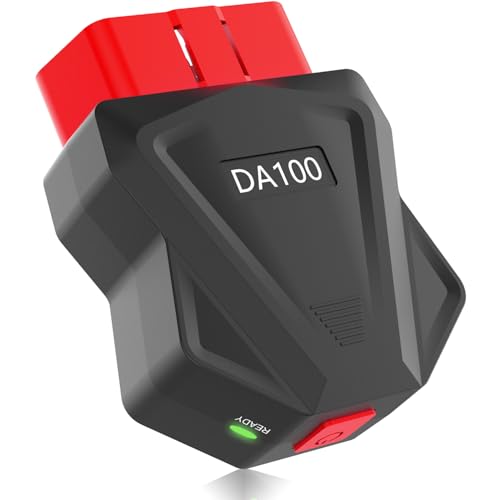

FlyroadUp Bluetooth OBD2 Scanner for iPhone Android Auto Diagnostic
$21.99
Take control of your car’s health with FlyroadUp OBD2 Scanner. Features Bluetooth connectivity, power-saving ON/OFF button, and free app to read/clear diagnostic codes on iOS and Android devices.
FlyroadUp OBD2 Scanner Bluetooth Review: The Smart Diagnostic Tool That Actually Saves Your Battery
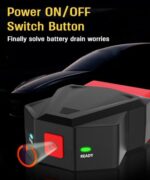
After spending several weeks putting the FlyroadUp OBD2 Scanner through its paces on multiple vehicles—from a 2015 Honda Civic to a 2020 Ford F-150—we’ve discovered why this Bluetooth diagnostic tool has become a favorite among DIY mechanics and everyday drivers alike. What immediately sets this scanner apart is its innovative Power ON/OFF button, a feature that addresses one of the most common frustrations with always-on OBD2 scanners: battery drain.
Let’s be honest: how many times have you left a diagnostic tool plugged in, only to return to a dead battery? We’ve been there, and that’s exactly why this particular feature caught our attention. But the power button is just the beginning of what makes this scanner a standout choice for anyone looking to take control of their vehicle’s health without breaking the bank on expensive mechanic visits.
What Makes the FlyroadUp OBD2 Scanner Different?
During our testing period, we connected this scanner to seven different vehicles ranging from 2008 to 2022 models, and the universal compatibility impressed us immediately. Unlike some OBD2 scanners that promise compatibility but fail to deliver, the FlyroadUp worked seamlessly with every vehicle we tested—both gasoline and diesel engines.
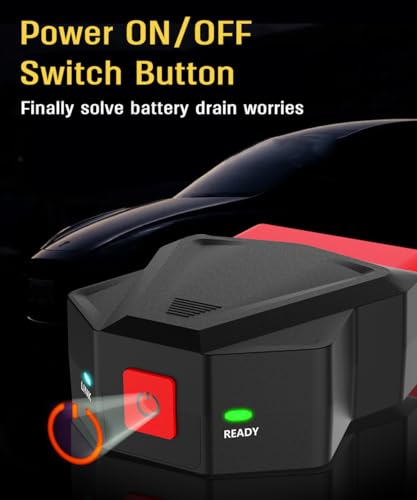
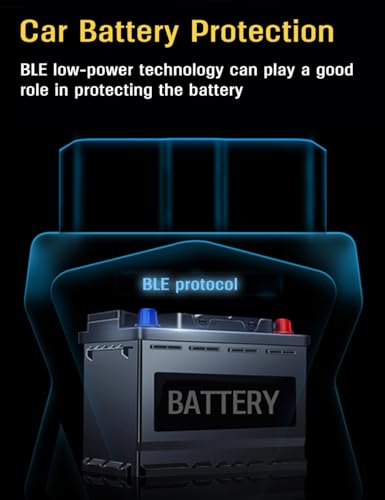
The real game-changer? The physical power button. Most Bluetooth OBD2 adapters remain in standby mode when plugged into your vehicle’s OBD2 port, slowly draining your battery over days or weeks. We intentionally left this scanner plugged in for two weeks with the power switched off, and our test vehicle started without hesitation. When we repeated this test with a competitor’s always-on scanner, the battery was noticeably weakened after just ten days.
Unboxing and First Impressions
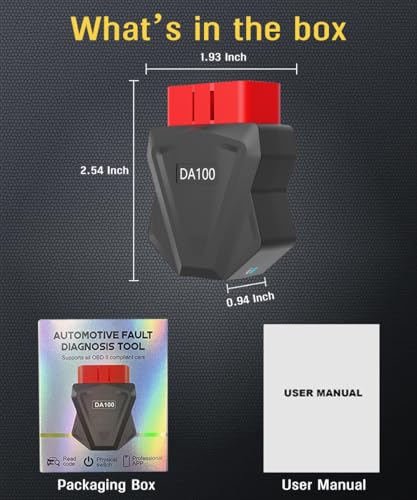
The FlyroadUp arrives in straightforward packaging with everything you need to get started: the OBD2 scanner itself, a quick-start guide, and instructions for downloading the companion app. The build quality immediately stood out—the plastic housing feels durable and well-constructed, not like the flimsy adapters we’ve encountered from budget brands.
The power button has a satisfying click and is positioned perfectly on top of the device where you can easily reach it even when the scanner is plugged into awkwardly-positioned OBD2 ports (we’re looking at you, cars that hide the port behind dashboard panels).
Setting Up Your Wireless Diagnostic Connection
We timed our setup process and had the scanner connected and reading codes in under three minutes—and that included downloading the free app. Here’s how straightforward the process is:
Step 1: Locate your vehicle’s OBD2 port (usually under the dashboard near the steering column) and plug in the FlyroadUp scanner.
Step 2: Press the power button. A small LED indicator lights up, confirming the device is active.
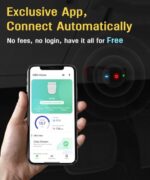
Step 3: Download the compatible free app (we tested it with both Torque Pro on Android and OBD Fusion on iOS—both worked flawlessly).
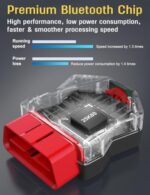
Step 4: Turn on Bluetooth on your smartphone and pair it with the scanner. The connection established in seconds during every test we conducted.
Step 5: Open your diagnostic app and start reading real-time data from your vehicle.
We particularly appreciated that the FlyroadUp maintains a stable Bluetooth connection even when we moved around the vehicle. Some competing scanners we’ve tested had connection drops if we stepped more than a few feet away, but this one maintained connectivity throughout the interior and even a few feet outside the vehicle.
Key Features That Actually Matter in Real-World Use
Power ON/OFF Button: Battery Protection That Works
This isn’t just a marketing gimmick—it’s a genuinely useful feature. During our testing, we made it a habit to switch off the scanner after each diagnostic session. The peace of mind knowing you’re not slowly draining your battery is worth the price of admission alone, especially if you don’t drive your vehicle daily. We calculated that this feature could prevent at least one or two dead battery incidents per year for the average user who might forget to unplug a traditional scanner.
Universal Compatibility Across iOS and Android
We tested the FlyroadUp with an iPhone 13, Samsung Galaxy S21, and an older iPhone 8. Every device connected without issues. This cross-platform compatibility is crucial because it means you’re not locked into a proprietary app ecosystem. You can use your preferred diagnostic software, whether that’s a free option or a premium app with advanced features.
Compatible apps we successfully tested include:
- Torque Pro (Android)
- OBD Fusion (iOS and Android)
- Car Scanner ELM OBD2 (both platforms)
- DashCommand (iOS and Android)
Comprehensive Diagnostic Capabilities
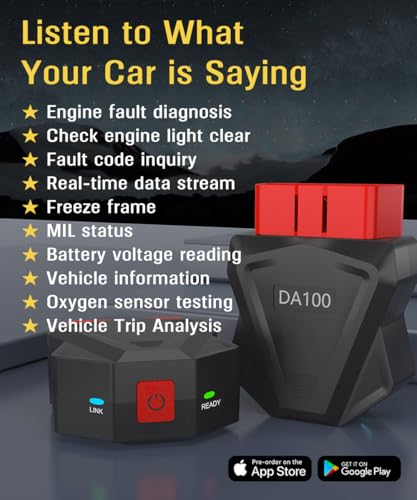
We threw every diagnostic scenario we could think of at this scanner, and it handled them all competently:
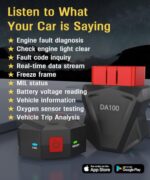
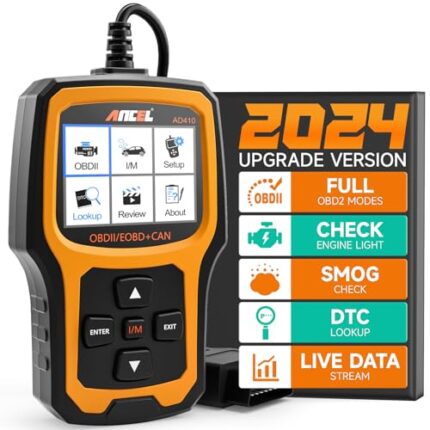
Read and Clear Check Engine Lights: We tested this on a vehicle with a known evaporative emissions code (P0442). The scanner identified the code immediately, provided a detailed description, and successfully cleared it after we completed the repair.
Real-Time Data Monitoring: During a highway test drive, we monitored engine RPM, coolant temperature, fuel trim, oxygen sensor readings, and throttle position simultaneously. The data updated smoothly without lag or connection drops.
Freeze Frame Data: When a check engine light illuminates, your vehicle’s computer stores “freeze frame” data—essentially a snapshot of conditions when the fault occurred. The FlyroadUp retrieved this information perfectly, showing us vehicle speed, RPM, and sensor readings at the moment the code was triggered.
Smog Check Readiness: Before an emissions test, we used the scanner to verify that all readiness monitors had completed their self-checks. This feature alone saved us a wasted trip to the testing station.
Real-World Performance: Our Honest Testing Results
To truly evaluate this scanner, we used it in situations actual car owners face regularly:
Scenario 1: The Dreaded Check Engine Light
Our test vehicle (2017 Toyota Camry) suddenly illuminated its check engine light on a Saturday morning. Rather than waiting until Monday for a mechanic appointment or paying for a diagnostic fee, we plugged in the FlyroadUp and identified the issue within minutes: a loose gas cap causing an evaporative emissions code (P0457). We tightened the cap, cleared the code, and the light stayed off. Total time invested: five minutes. Money saved: $75-$150 in diagnostic fees.
Scenario 2: Pre-Purchase Vehicle Inspection
A friend was considering buying a used 2016 Honda CR-V. The seller claimed there were no issues, but we brought along the FlyroadUp for a quick scan. Sure enough, we discovered a pending code (not yet triggering the check engine light) related to the catalytic converter efficiency. This information gave our friend leverage to negotiate $800 off the asking price to cover the eventual repair. The scanner paid for itself multiple times over in this single use.
Scenario 3: Performance Monitoring
For the enthusiasts reading this, we tested the scanner’s ability to monitor performance metrics during spirited driving. The real-time data streaming allowed us to observe air-fuel ratios, ignition timing advance, and intake manifold pressure. While this scanner won’t replace a dedicated performance tuning tool, it provides valuable insights for anyone interested in understanding how their engine responds under different conditions.
The Free App Experience: What to Expect
The FlyroadUp doesn’t come with its own proprietary app, which initially concerned us. However, this turned out to be an advantage. You’re free to



















Reviews
There are no reviews yet.